A red regression run is a queue of small decisions. Each failed case is either telling you the product broke, telling you the test is wrong, or telling you the environment had a bad night, and each of those has a different owner. InsightTestBench gives you the inputs for the decision (a comparison with the baseline, the error, and on request an analysis with a verdict and a confidence); this guide is about using them well.
Start with the comparison, not the list
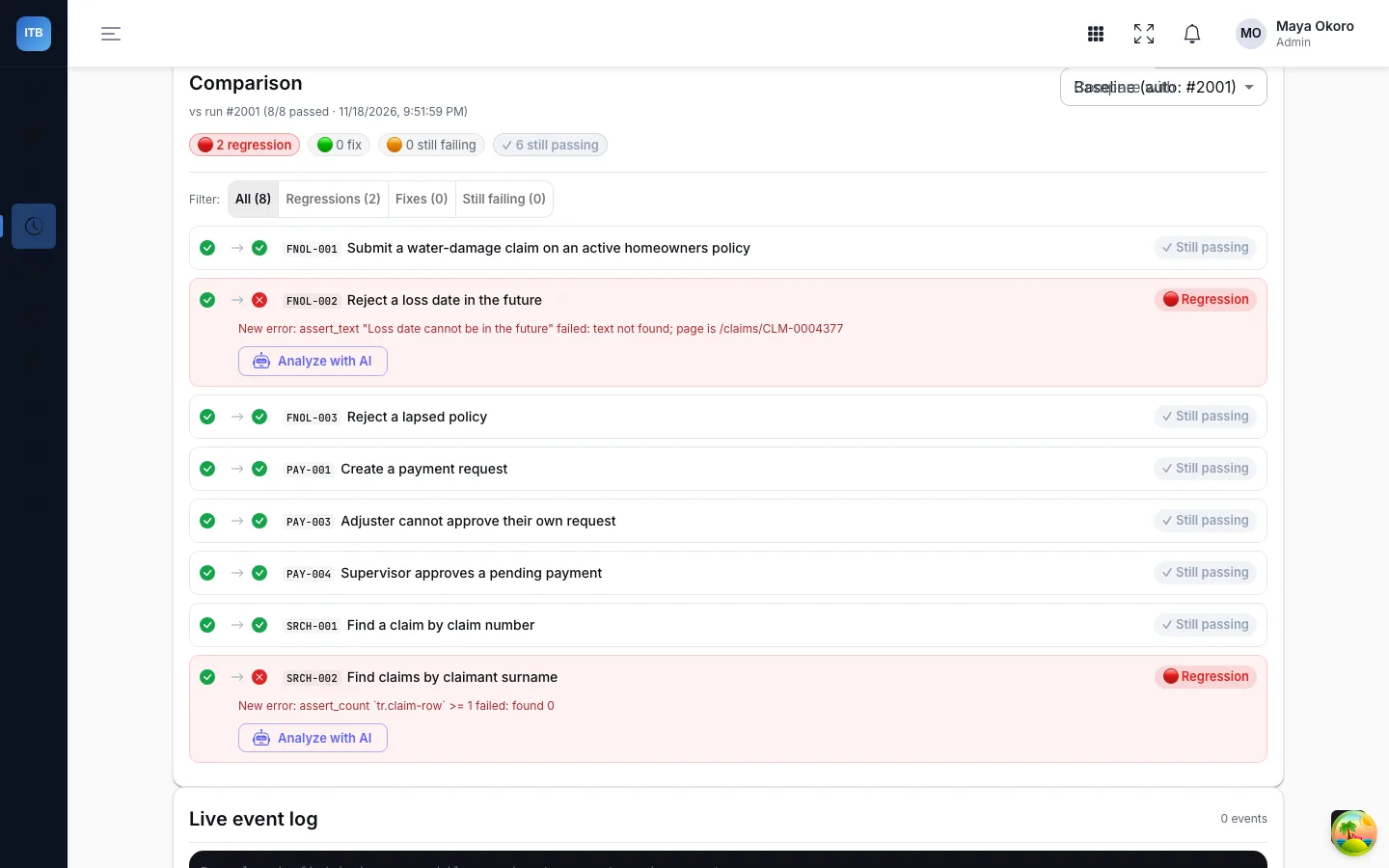
Open the run and look at the comparison chips first. Still failing cases are known; they matter, but they are not news. Regressions (passed in the baseline, failed now) are the news, and they are where to spend the morning. Fixes are worth a glance too: a case that turned green without anyone fixing it may be passing for the wrong reason.
A decision tree for each regression
test_design: the case is wrong
The page changed and the case did not: a button was renamed, a field moved, a list now loads slowly, the data the case searches for is not in this environment. The fix lives in the plan. Edit the case, or use Vision regen on the plan to rebuild its cases from a screenshot and the DOM of the live page, then re-run just that case. Do not lower an assertion to make it pass; change what it asserts only if the product's intended behaviour changed.
product_bug: the case did its job
File it with the case id, the steps, the error and the analysis. Leave the case exactly as it is: it should stay red until the fix ships, and the comparison will report it as still failing (not a new regression) in the meantime, so a schedule in regressions mode will not page anyone about it again.
environmental: nobody's code changed
A dependency timed out, a rate limit was hit, a staging database ran out of connections. Re-run before anyone investigates. If it repeats, it is real information about the environment and belongs with whoever runs it.
The failures queue
Every failed case in a run also lands in the Failures queue, across all projects, with a category (bug, flake, env_issue or test_defect), a confidence, a summary and a status (open, triaged, fix proposed, merged, closed). Each project has the same queue scoped to it. The tabs filter by status; the dashboard counts the open ones. Today the bench itself moves a failure's status in one case (to fix proposed when the bug-fixing app below opens a pull request), so track ownership where your team already tracks work.
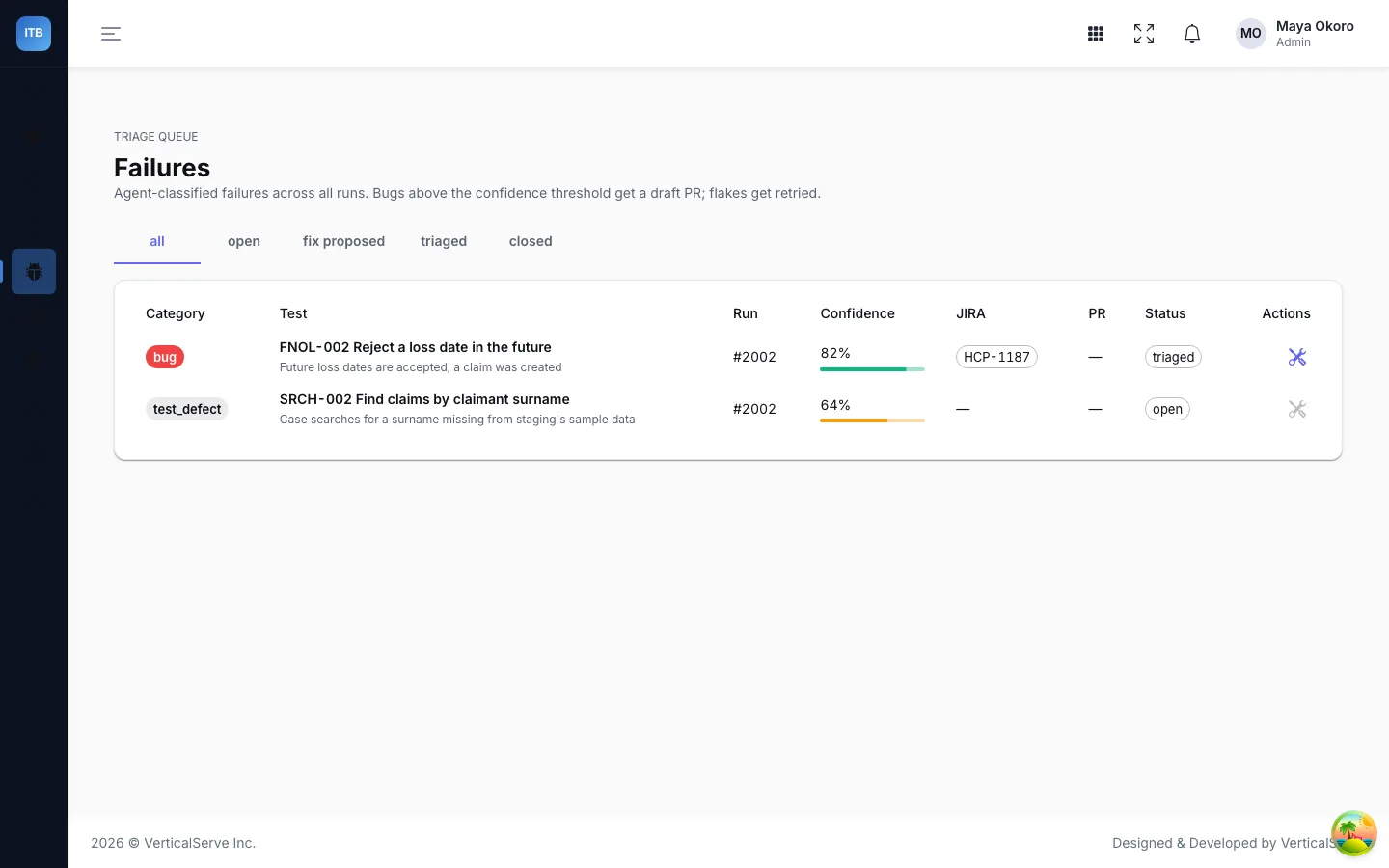
From a failure, Fix can hand it to a bug-fixing app on the worker that works on the project's repository and opens a pull request, as a draft when its confidence is below a threshold (0.7 unless you set another); the pull request's link is stored on the failure. That needs the worker app, a model and access to the repository, and its output is a proposal for a developer to review, not a merge.
Habits that keep the queue short
- Triage regressions the same day. A regression left for a week becomes "still failing" and stops standing out.
- Fix test defects in the plan, not in the run. Re-running a broken case until it passes teaches nothing.
- Quarantine deliberately. If a case must be skipped, take it out of the regression plan with a note, rather than letting it fail every night.
- Keep the regression plan small. Every case in it should be one you would act on at 9 a.m.
- Use schedules in regressions mode. People stop reading alerts that fire for known failures.
A five-minute routine
- Open last night's run from the webhook or the dashboard.
- Filter to regressions. For each: read the new error, then Analyze with AI if there is no analysis yet.
- Route by kind: test design to QA, product bug to the feature's developers, environmental to a re-run.
- Record each decision (the ticket, the owner) where your team tracks work.
- Glance at fixes; make sure each one has a reason.
Related: how baselines and analysis work and the claims portal example.