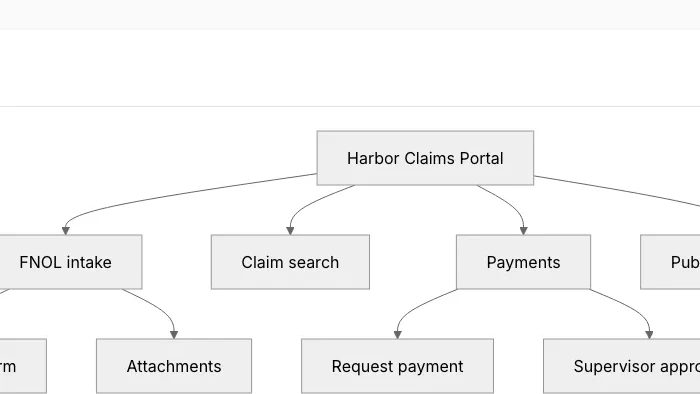
Most regression suites start well and decay. Cases reference buttons that were renamed, assertions were never written, and every red run needs someone to work out whether the app broke or the test did. InsightTestBench is a QA bench built around that problem: it keeps what you test, how you test it and what happened organised per application, and it explains failures instead of just listing them. It runs the cases on the InsightWorker engine, so the bench itself stays a portal for QA managers, testers and developers.
The loop in one picture
Projects: the thing under test
A project is one application or service you test: a web app, an API, a Databricks job, a database, a script, or a mix. It carries a configuration per environment (base URL, login URL, the selector that proves sign-in finished, and the names of the environment variables that hold each persona's credentials), the personas that use it, a repository link, an exploration guide and a feature tree. Each project owns its plans, runs, schedules, failures and reports.
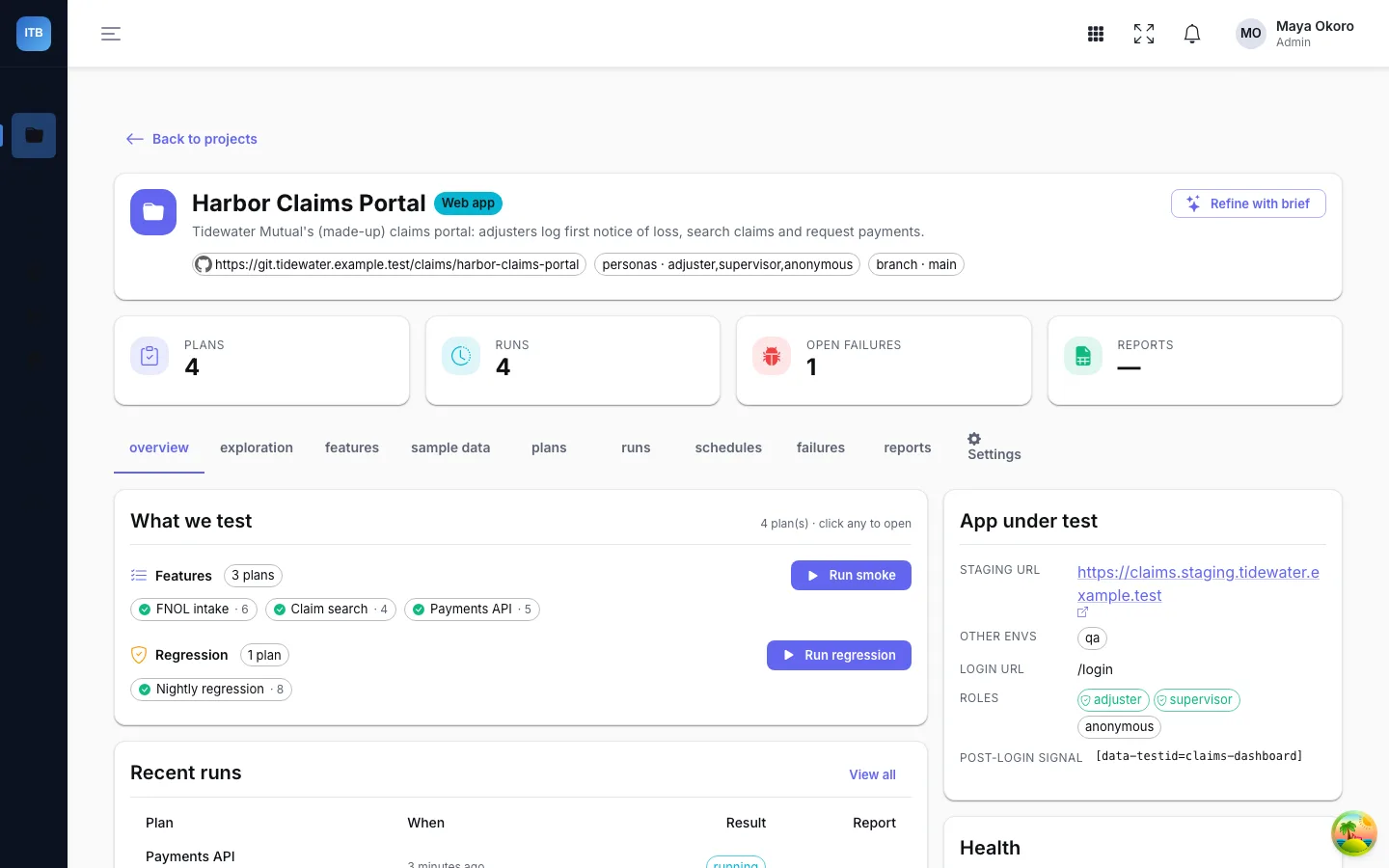
You can set a project up by hand or bootstrap it from a brief: a paragraph naming the application, its URL and its roles. The bootstrap agent crawls the app, writes the exploration guide and feature tree, and generates one plan per feature plus a regression suite.
Plans and cases you can read
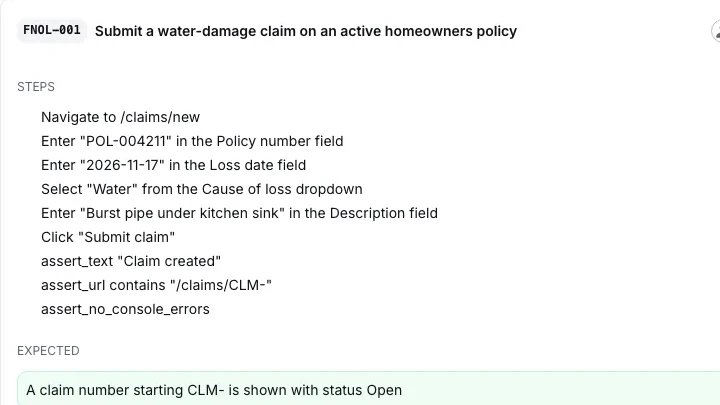
A plan is a list of cases for one feature. A UI case is a list of plain steps, such as
Enter "POL-004211" in the Policy number field or assert_text "Claim created", with the persona it runs as, optional
sample data and an expected outcome. API cases carry a method, a URL and an expected status. The step wording is a small, fixed grammar, and
the bench can check cases against it before they run; see cases the runner can read.
Runs, baselines and explanations
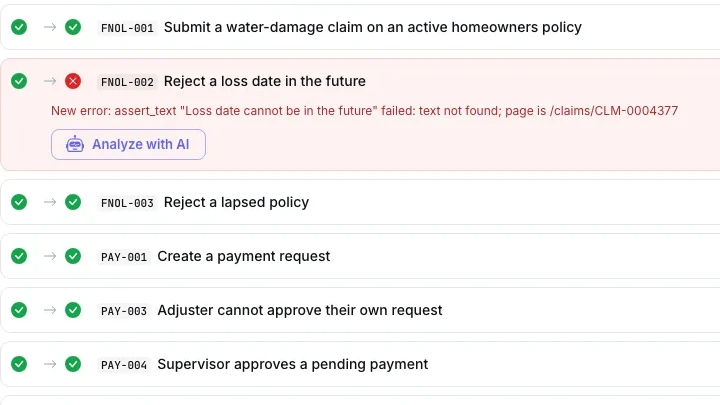
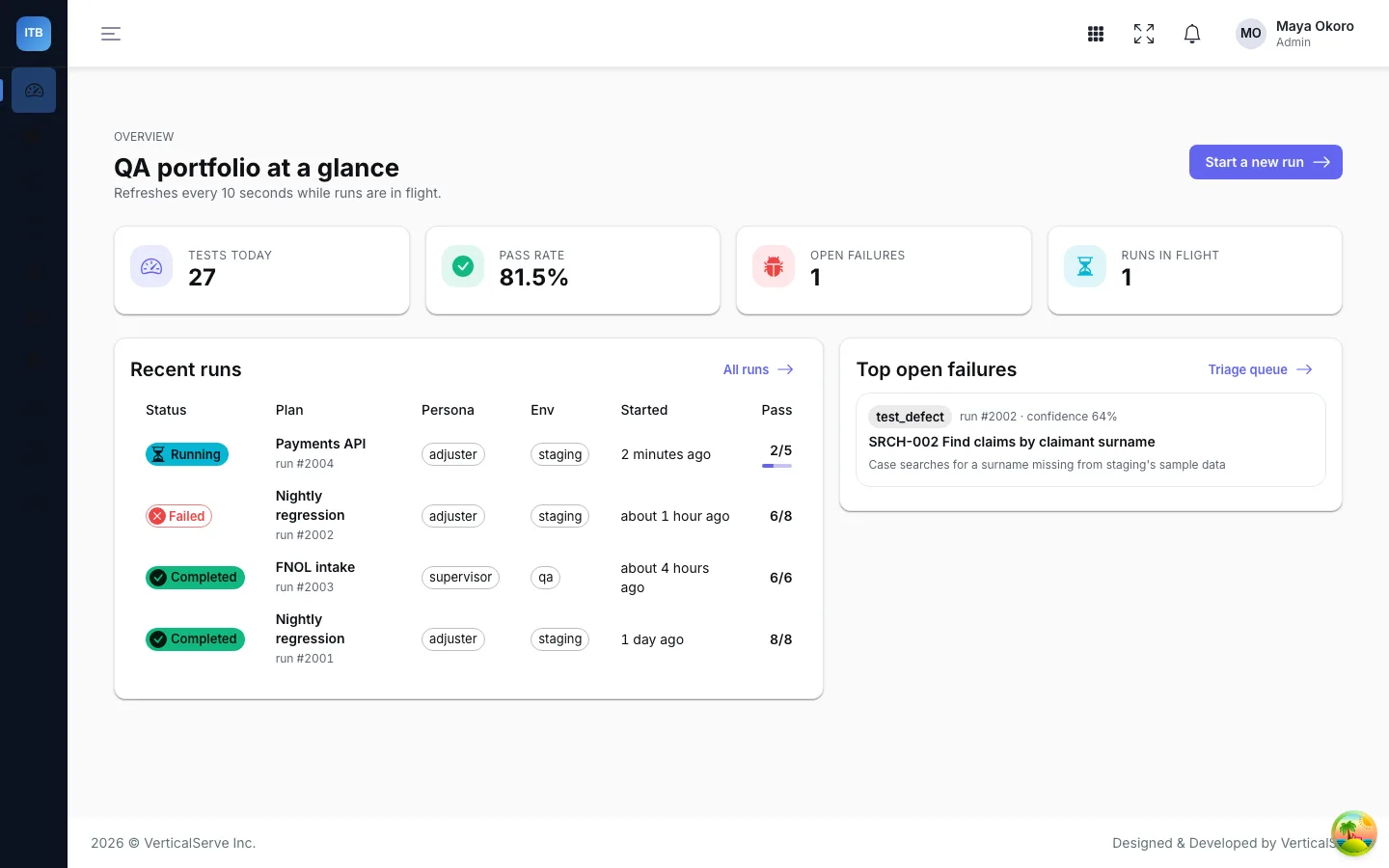
Starting a run picks the plan, the persona and the target environment (or every persona at once). Progress streams to the page while the run is in flight. When it finishes, the bench finds the previous finished run of the same plan, persona and environment and classifies every case against it: regression, fix, still failing, still passing, new or removed. A failed case can be sent to root-cause analysis, which reads the case, its execution log and the feature's guide and answers with a cause, a suggested fix, a kind (test design, product bug or environment) and a confidence. More in baselines, regressions and root-cause analysis.
Schedules that page you only when it matters
A schedule runs a plan as a persona against an environment every N seconds or daily at a set time. Each schedule chooses when its webhook fires: on every run, on any failure, or only on regressions against the baseline. For regressions, the bench runs root-cause analysis first, so the message carries the cause and the suggested fix, not just an error string.
What else is in the box
- Vision regeneration: capture a feature's live page (screenshot and DOM) and have a multimodal model rewrite or extend the plan's cases from what is actually on screen.
- Profile sweeps: analyse a form, generate a set of input profiles (valid and invalid) as JSON files, and add a case per profile.
- Convert to API: rewrite a UI-style plan as API-shaped cases, given an OpenAPI hint or an example request.
- Feature chat: ask for a change in plain language ("add a negative case for an empty password") and the agent makes a targeted edit to the guide or the plan instead of regenerating it.
- Sample data: a folder per project for files the cases upload, which you can fill by hand or generate.
- Reports: every run downloads as an Excel workbook with Summary, Results and Critique sheets.
Who it is for
QA managers who want to own a suite without living in a Playwright codebase; testers who want cases they can read and edit; developers who want to know, for each red case, whether it is their problem or the test's; and on-call engineers who want a message only when a case that passed yesterday fails today. The claims portal example shows all four in one week.