A test case that cannot fail is worse than no test case: it reports green while the thing it was meant to guard rots. Most suites have some, usually because a step was written in a way the runner did not understand, so it was skipped, or because the case never said what "worked" means. InsightTestBench addresses both with a single, small step grammar and a validator that reads cases the way the runner will, before anything runs.
Steps in plain language, with a fixed vocabulary
A UI case is a list of steps in plain English. The runner matches each step against an ordered list of rules; the first rule that matches decides what happens. The verbs it knows:
| Kind | Verbs (how a step starts) |
|---|---|
| Move around | navigate (navigate, go, open, visit), scroll, wait |
| Act | click, click_tab, fill (enter, type, fill, set), select (select, choose, pick), upload, toggle (expand, collapse, reveal), fill_profile (fill the form from a profile file) |
| Assert | assert_text, assert_visible, assert_hidden, assert_count, assert_url, assert_field_value, assert_attribute, assert_aria_invalid, assert_no_console_errors, assert_response_time_under |
Arguments follow simple conventions: text you can see goes in quotes (Click "Submit claim"), CSS selectors go in backticks
(assert_count `tr.claim-row` >= 1), and a fill names its value in quotes and its field by label
(Enter "POL-004211" in the Policy number field).
One grammar, two consumers
The grammar lives once, in the worker's browser runner. The runner dispatches on it; the validator uses the same recognition rules plus an argument check for each verb. Order matters and is the same for both: "fill the form from the profile" must reach the profile rule before the generic fill rule swallows it, and "click the Overview tab" must reach the tab rule before the generic click.
What the validator catches
Here is a case as someone might first write it, and what the validator in the product says about it (we ran it on this case for the article):
{
  "id": "FNOL-009",
  "name": "Submit a claim (as first written)",
  "steps": ["Go to the new claim page",
            "Fill Policy number with POL-004211",
            "Click submit",
            "Check that it worked"]
}
warning step 2 (fill) no quoted value — say: enter "ACME Corp" in the Insured name field
warning step 4 (verify) no quoted text — this step does nothing on its own and defers
to the case's `expected`. Prefer an explicit assert_* verb.
error (case) no assertion verb — this case can only fail if a step errors,
so it will report green even when the thing it is meant to
guard is broken
hint end with assert_text "…", assert_visible `…`,
assert_url contains "…", or similarThree problems, none of which would show up as a failure. Step 2 has no quoted value, so the runner cannot tell value from field. Step 4 is a vague "verify" that does nothing on its own. And the case has no assertion verb at all, which the validator treats as an error by default: such a case can only fail if a step throws, so it will report green forever. The rewrite passes cleanly:
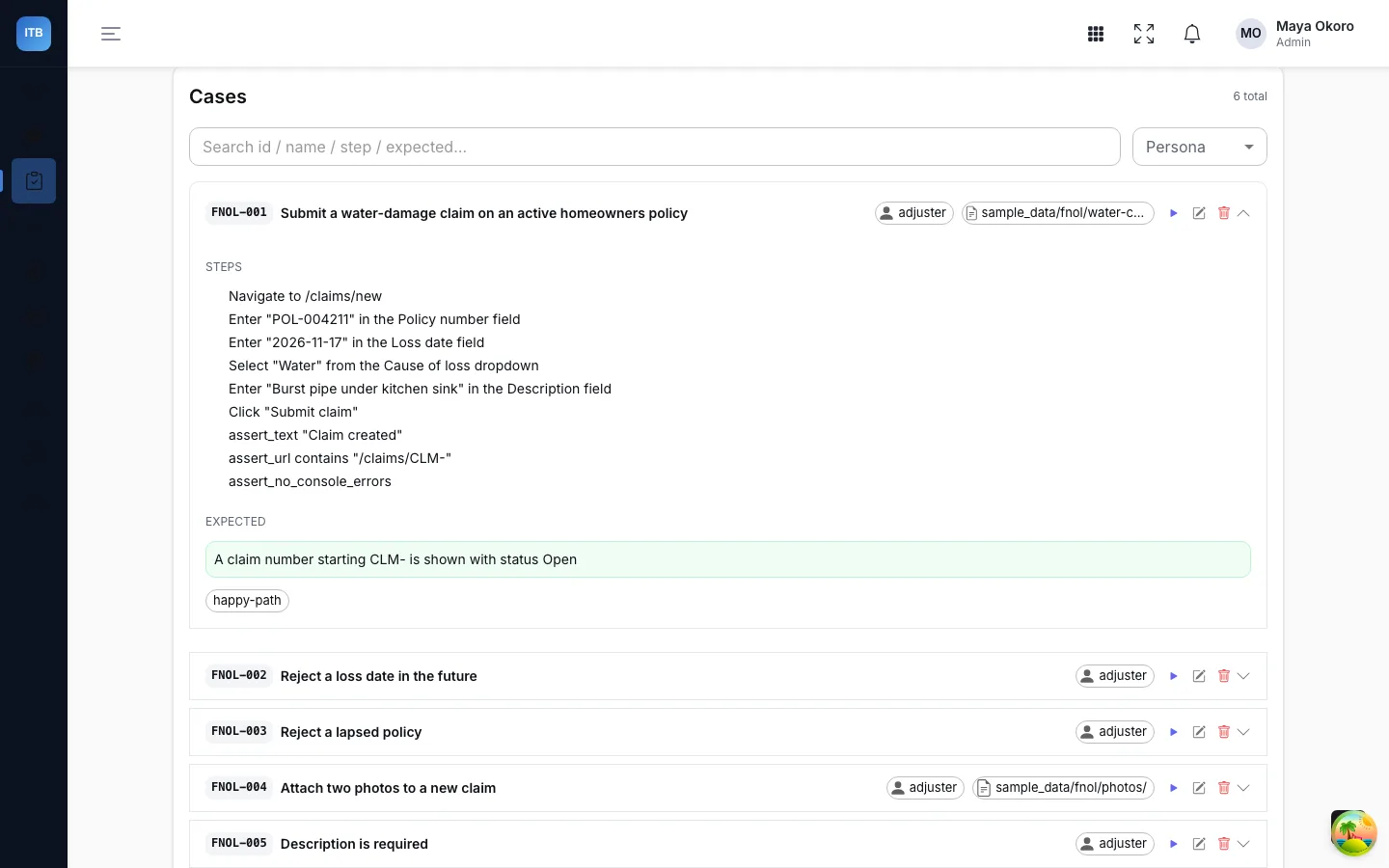
Navigate to /claims/new
Enter "POL-004211" in the Policy number field
Enter "2026-11-17" in the Loss date field
Select "Water" from the Cause of loss dropdown
Enter "Burst pipe under kitchen sink" in the Description field
Click "Submit claim"
assert_text "Claim created"
assert_url contains "/claims/CLM-"
assert_no_console_errors
Where validation happens
- An endpoint for any set of cases (
POST /api/v1/cases/validate) returns per-case diagnostics, the verbs it recognised, whether the case asserts and whether it needs a data file. Use it in a review step or a pipeline. - Promoting a case from an agentic exploration into a plan validates it first and refuses a case with errors unless you force it.
- A dry run (
POST /api/v1/cases/dryrun) executes cases against the live app without adding them to any plan, to check they do what they say.
The validator needs the worker's compiled runner on the bench host; if it is missing, the bench says the validator is unavailable rather than pretending a case passed.
Writing cases that stay useful
- End every case with an assertion about the outcome the user cares about: a message, a URL, a count, a field's value.
- Prefer visible text to selectors where the text is stable; use a selector in backticks where it is not (a row count,
an
aria-invalidattribute). - Assert the negative path explicitly. A validation case should check the error text and
assert_aria_invalidon the field, not just that the page did not move on. - Add
assert_no_console_errorsto the happy paths; it catches the JavaScript errors no assertion was looking for. - Keep data out of steps when it is a file: set the case's
datato a sample-data path and letuploadorfill_profileuse it.